
Problem:
unable to create playlists in YouTube
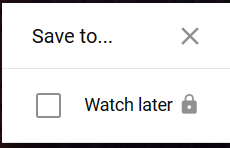
When you open YouTube with your Malvern College HK (MCHK) account for the first time, you will not see an option to create your own playlist in YouTube.
When you click the plus sign for any video, the menu options may look like this:
Solution:
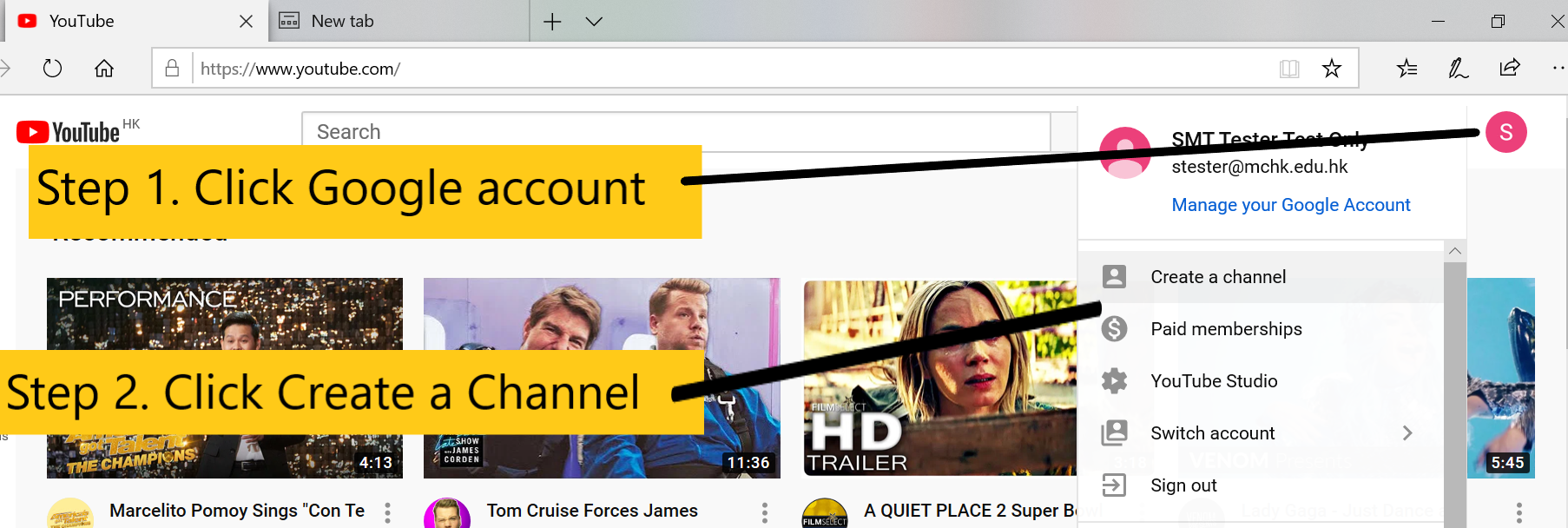
To fix this, please create a channel for your Google account in YouTube.
Here's a screen cast explaining how to create a channel in YouTube:
https://drive.google.com/file/d/1PQk26YAD2cYZ_-iI3SJ__VCh6n44lr4e/view
Please note: remember to click SELECT button under the "Use your own name" option.
Here are the basic steps to create a channel in YouTube:
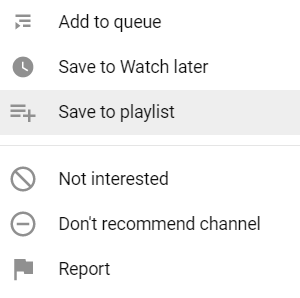
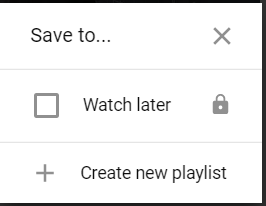
After creating a channel, the create playlist option shows in the menu:
I hope this helps.
If you have any further questions, please email us at: tst@mchk.edu.hk
Tech Support Team
Malvern College HK