
1. Go to the Seesaw Class App
Android
Apple iOS
or browse to this website: https://app.seesaw.me
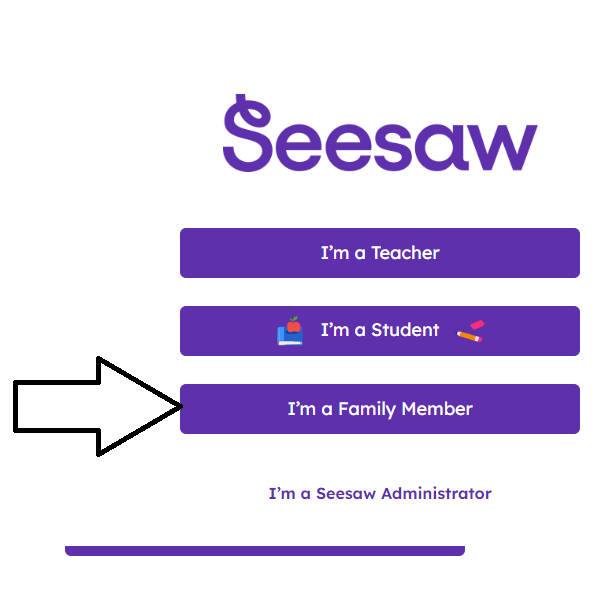
2. Click "I'm a Family Member"
as shown in the screenshot below:
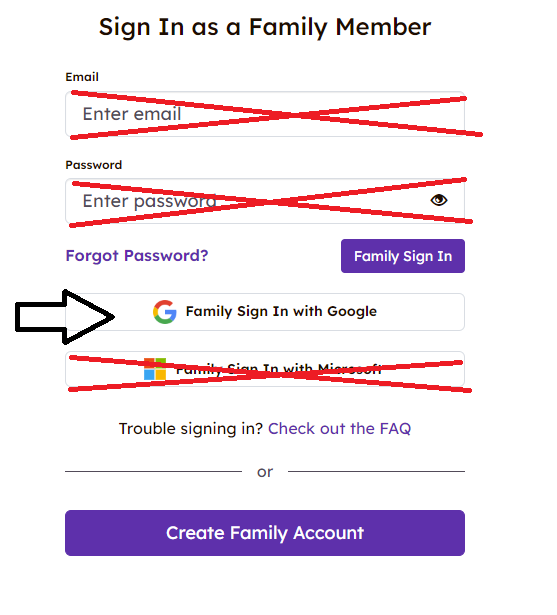
3. Click the "Family Sign in with Google" button.
as shown in the screenshot below:
4. Enter your parent account
e.g. p12345678@mchk.edu.hk (example email only)
5. Enter your parent password
6. Click the "Next" button
You will then be logged into Seesaw.