
TO CLEAR THE CACHE AND COOKIES IN CHROME, YOU’LL NEED TO ACCESS THE BROWSER’S SETTINGS MENU.
Please note that after clearing cache and cookies you will need to login to Google's websites again.
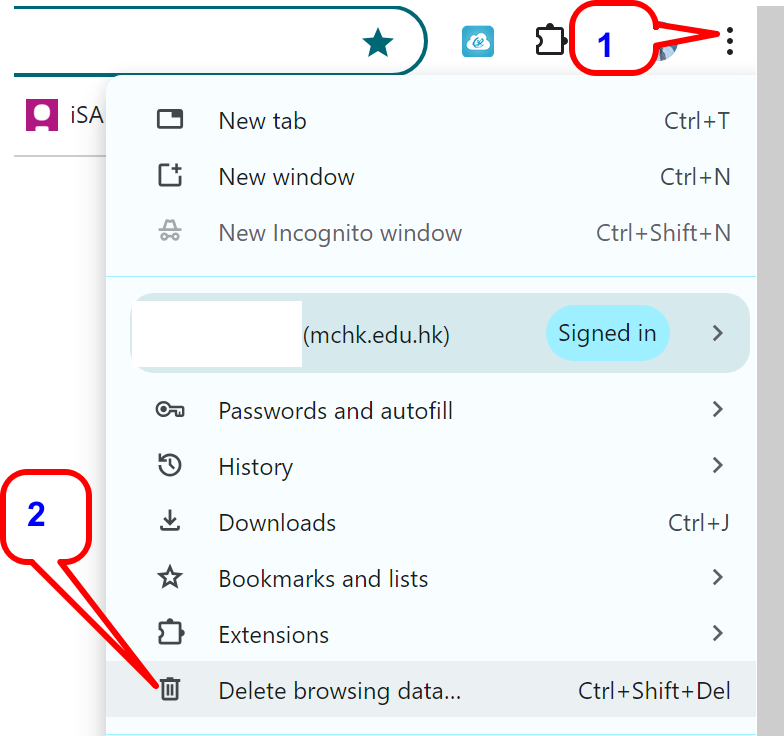
1. Click the three vertical dots icon in the top-right corner of the screen
2. Click “Delete Browsing Data...”
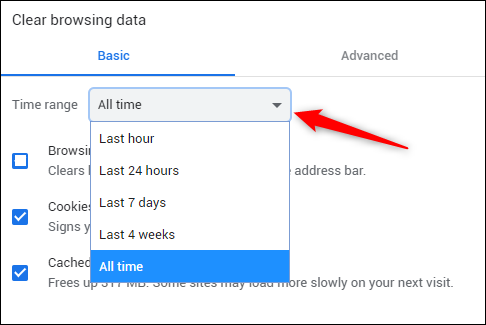
3. Click the arrow in the box next to “Time Range” to expand the menu and select “All Time”
4. Next, check the boxes next to “Cookies And Other Site Data” and “Cached Images And Files.”
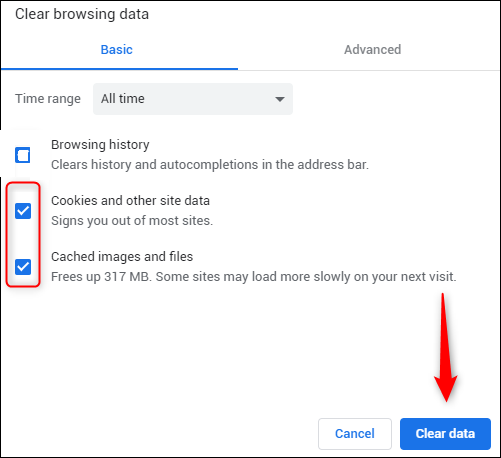
5. Once the boxes are checked, select the “Clear Data” button.