To login to BrainPop using Google:
1) click Login (top right corner)

2) click "G Suite for Education"
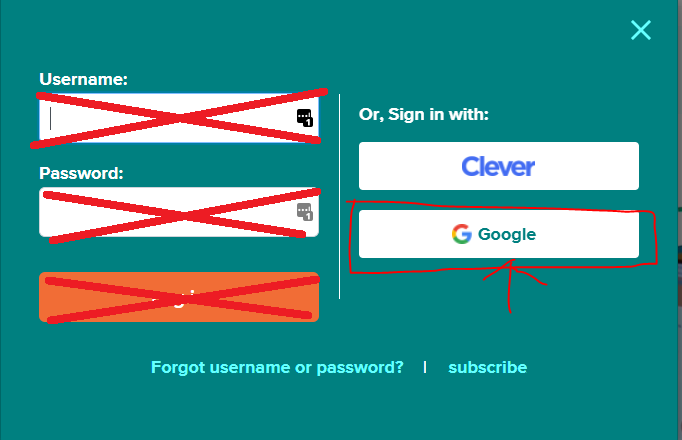
3) enter your child's email address 123456789@mchk.edu.hk
4) enter your child's password for Google
5) click next to login.

Modified on: Wed, 31 Jul, 2024 at 9:44 AM
To login to BrainPop using Google:
1) click Login (top right corner)
2) click "G Suite for Education"
3) enter your child's email address 123456789@mchk.edu.hk
4) enter your child's password for Google
5) click next to login.
Did you find it helpful? Yes No
Send feedback