
To reset your Google parent account password:
A technician from the ICT Services team will email a new password to you, please follow steps below:
1. Please browe to: https://www.gmail.com
2. Enter the new password provided by the technician via email.
3. After the initial login, you’ll be taken to the ‘Password’ page shown in the image below:
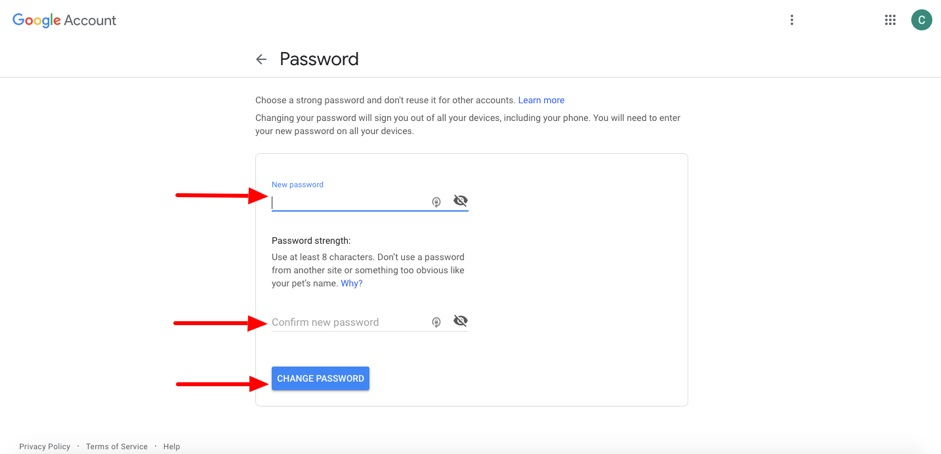
This is where you must type in and confirm your new password.
Please choose a strong password that is at least 8 characters long,
and uses a combination of numbers, letters, and punctuation/symbols.
4. Enter the new password.
5. Enter the new password again - to confirm the new password.
6. Click the Change Password button.
That's all. The new password is now set for your Google parent account.
Please record down your new password in a safe place. (If the password is a difficult one to remember.)
However, please try to use a password that is easy to remember.