How to find Registration Manager in iSams - in order to take a school register.
Option 1) On the main dashboard click the "Take a Registration" button
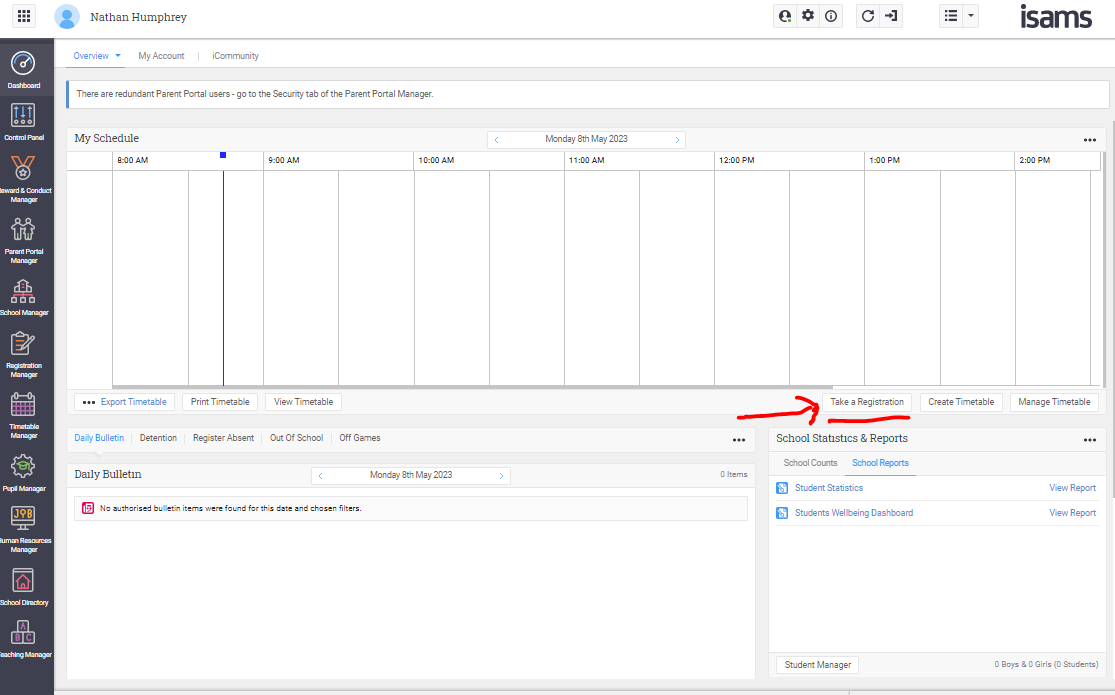
Option 2) find take a register in the Dock
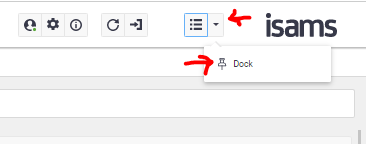
1. Click the dropdown arrow top right corner
2. click Dock
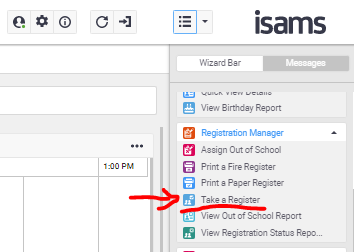
3. click Take a Register
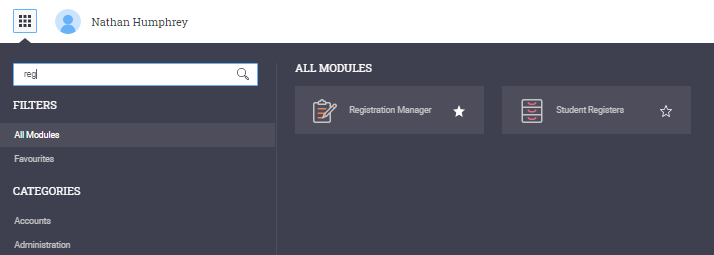
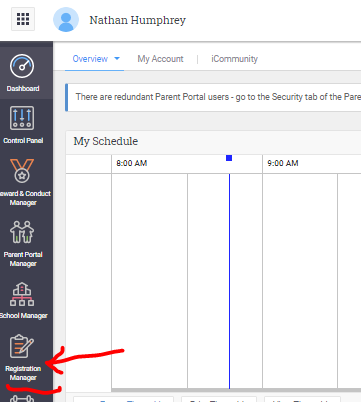
Option 3) find Registration Manager
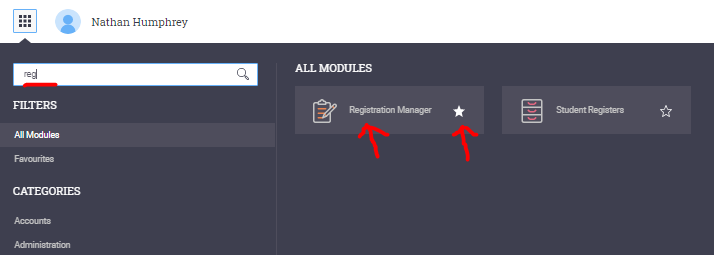
1. click the Waffle in the top left corner
2. type registration
3. click "registration Manager" to open and take school register
You may also click the star icon to the right of the Registration Manager to add it to your favourites on the left menu.