
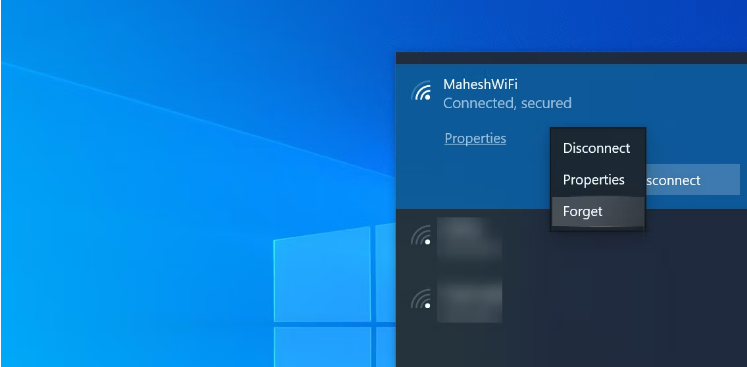
The easiest and quickest way to forget a Wi-Fi network on your Windows 10 PC is to use the system tray. There’s an icon here that lets you quickly find your network and remove it from your computer.
To use this method, follow the following steps:
- Click the Wi-Fi icon in your system tray.
- Find the network you want to forget in the list.
- Right-click the network and select Forget.
- Your PC will remove the network without any prompts.
Make sure you know the password for your forgotten network, as you’ll need it the next time you want to connect to it.
Please ask ICT Services or email ictservices@mchk.edu.hk if you need the password for your school division's WiFi SSID.