
Dear IT & Managebac Admins,
Archiving & Unarchiving units via the Curriculum View - admins only
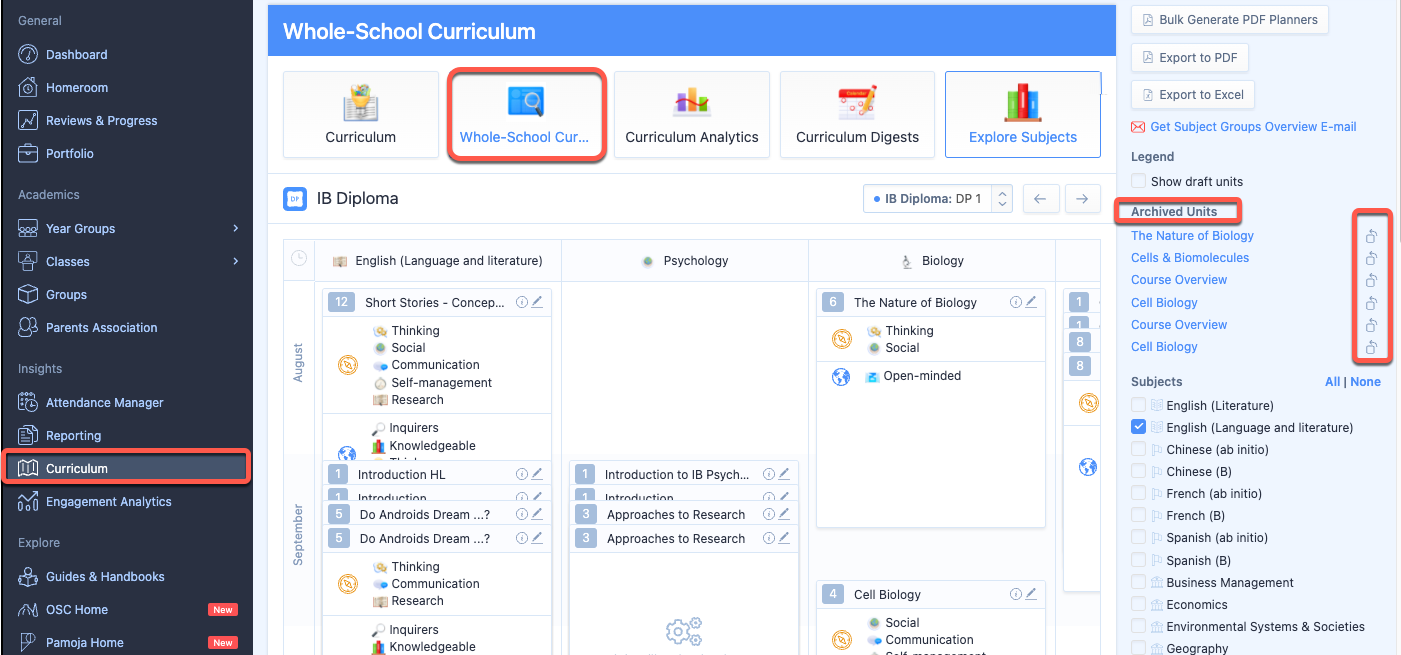
Archived units can be accessed via the Whole School Curriculum; from your left navigational menu panel go to Curriculum > Whole School Curriculum > IB Diploma Years > select your grade; you can find the unit on the right-hand panel under the heading, "ARCHIVED UNITS." To unarchive the unit click on the icon next to the unit name.
sourced from this website - see Archiving & Unarchiving units via the Curriculum View -
please read to find out more on this topic.