
The 404 error on Malvern View suggests that the smartphone cannot find your parent Google login for some reason.
Malvern View is restricted to school users only.
The browser is most likely using another Google login from your smartphone. For example, your personal Google login.
If you are a parent at the school, you must login using your parent Google account.
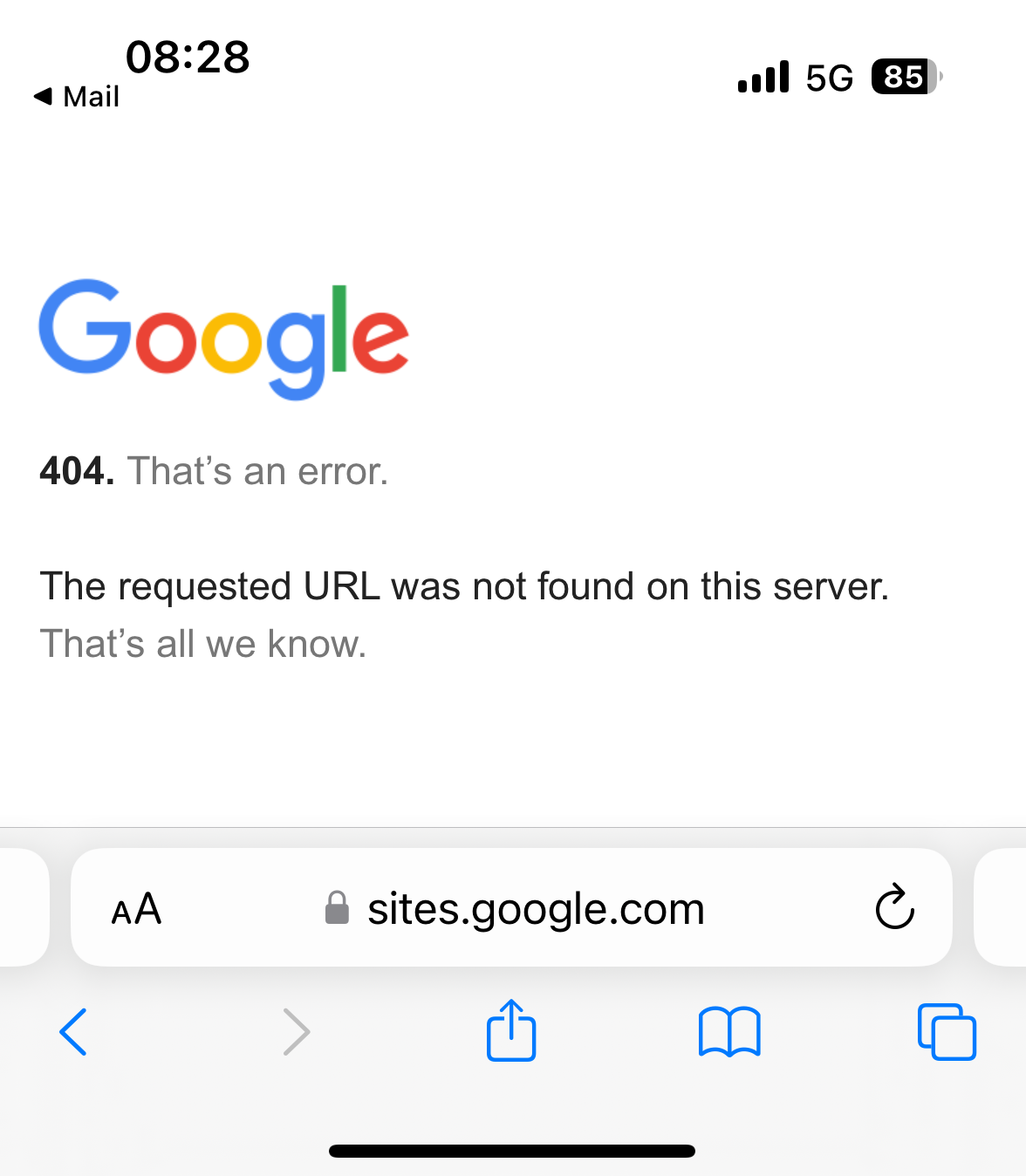
Please try the following steps:
1. Browse to https://mail.google.com
2. Click the user account drop-down
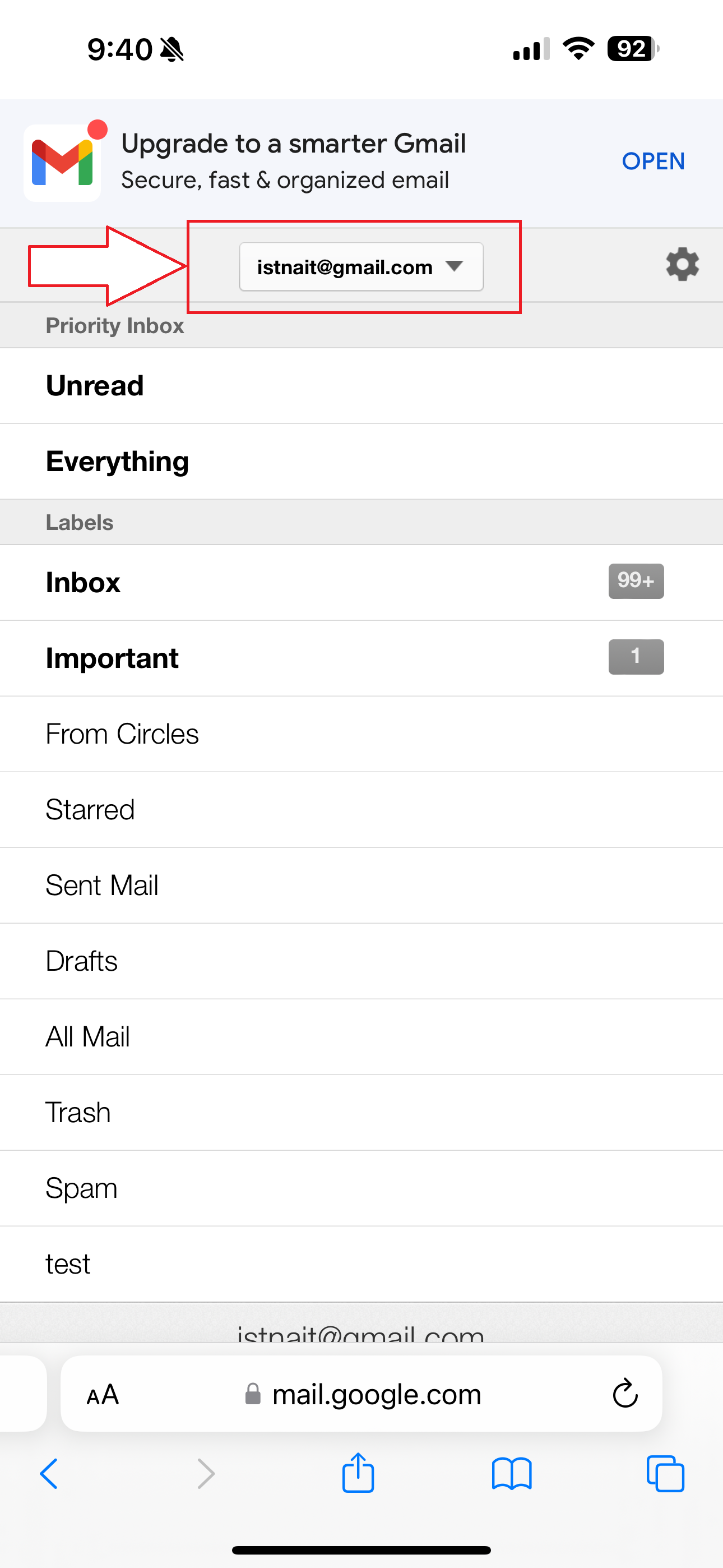
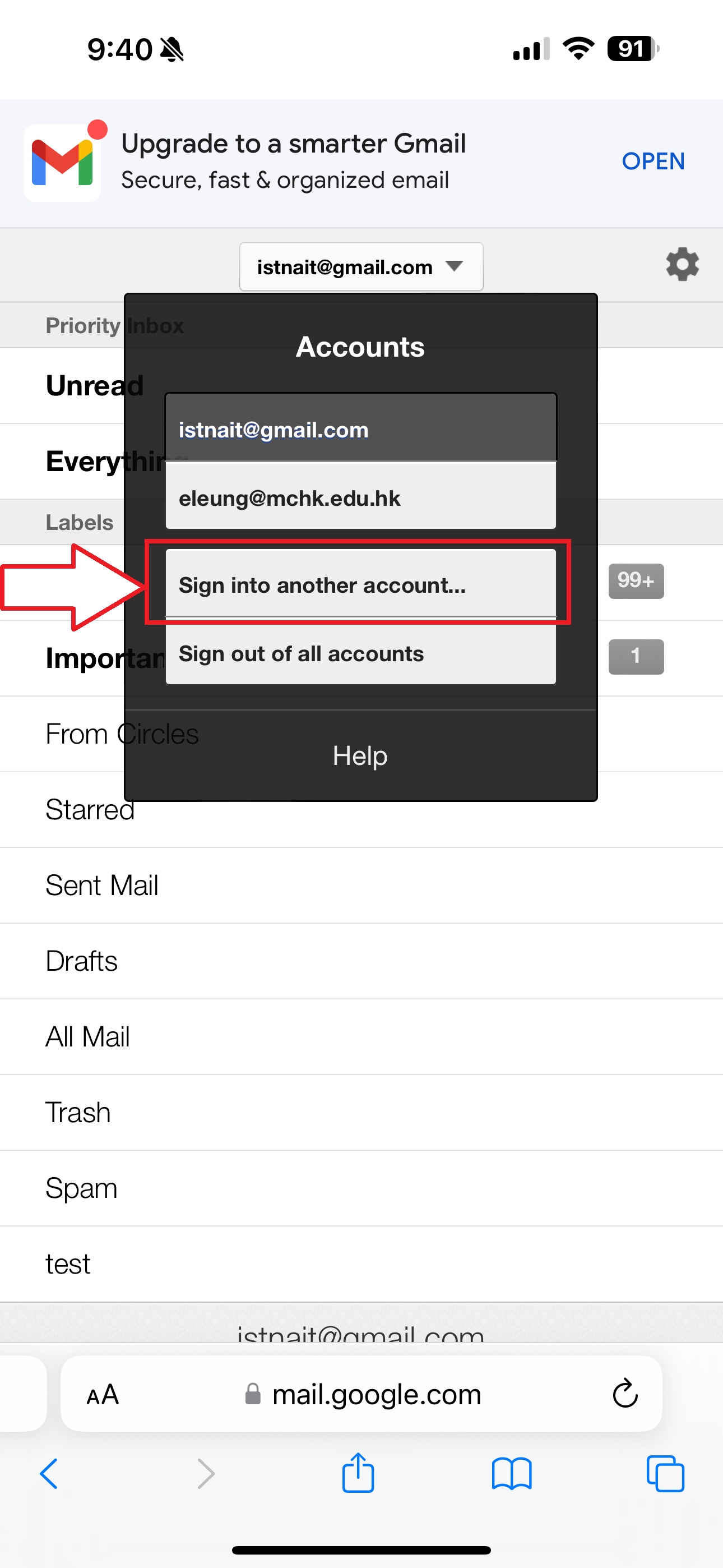
3. Click "Sign into another account..."
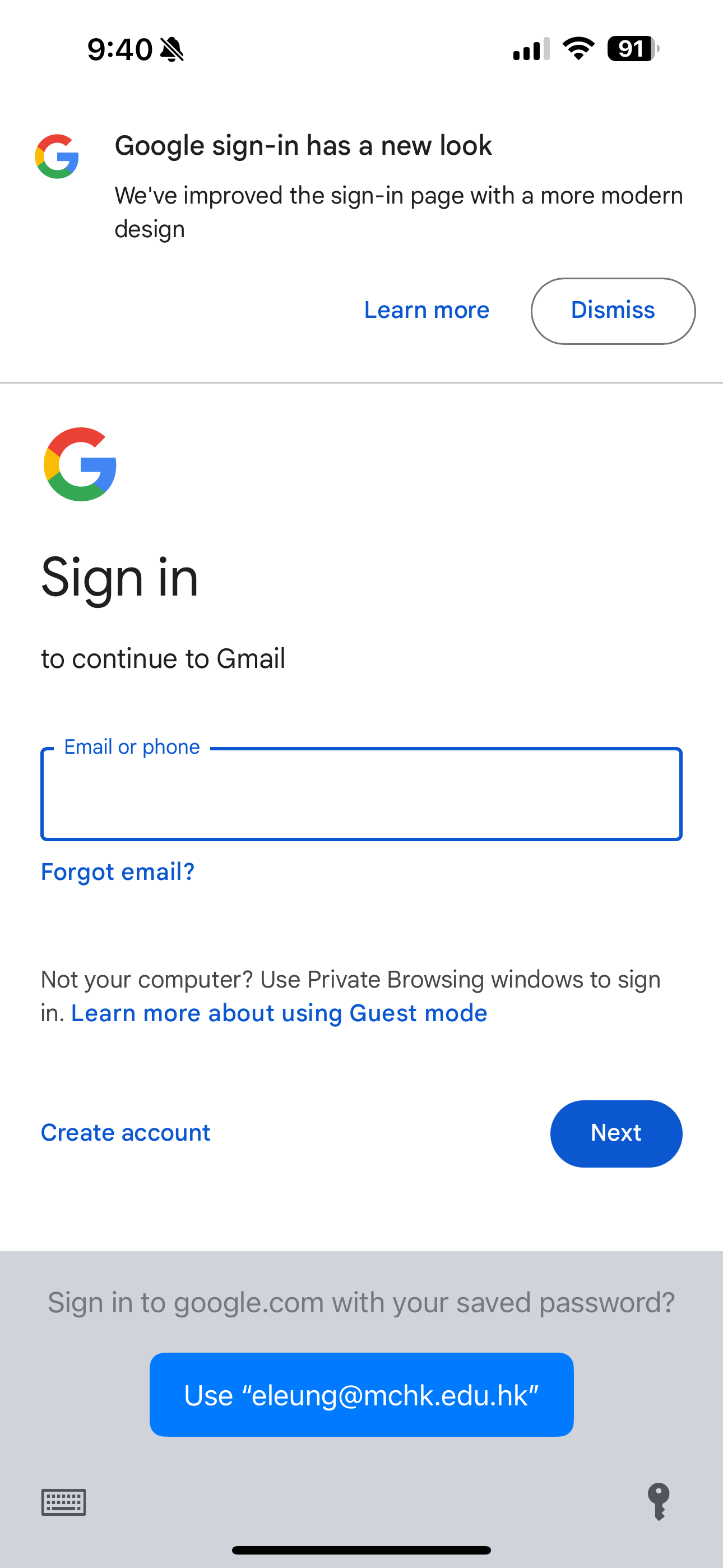
4. Enter your parent Google account. For example p12345678@mchk.edu.hk
5. Click Next
6. Enter your parent Google password.
7. Click Next to login
8. After logging into your parent Google account, you should be able to browse to Malvern View.