iSams iParent app: How to Find your e-pickup card
Print
Created by: Nathan HUMPHREY
Modified on: Fri, 18 Oct, 2024 at 12:05 PM
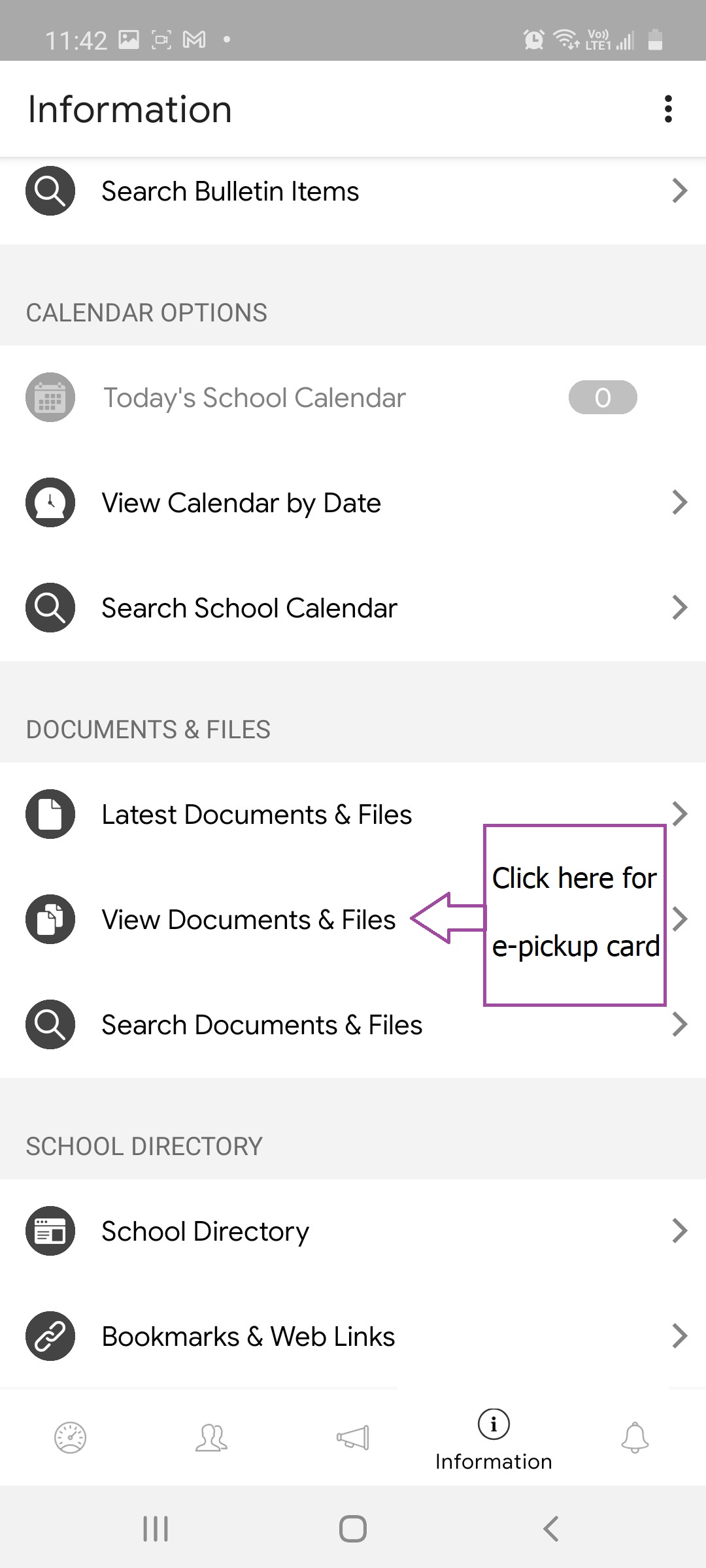
Your parent e-pickup card is under "Information", "Documents & Files" on the iParent app.
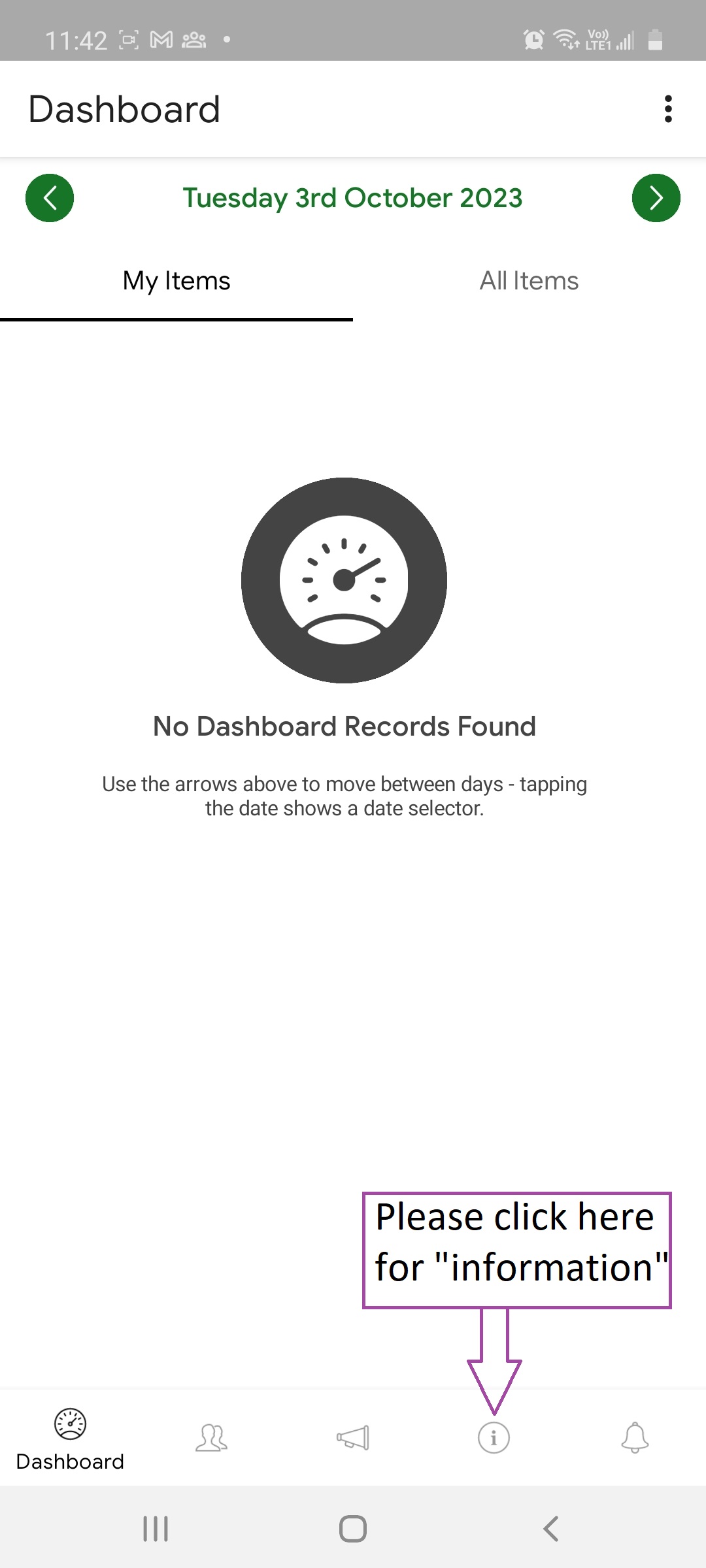
Please follow these steps to locate Documents & Files on iParent app:
1. on the dashboard click the Information icon
2. under information click on "Documents & Files"
Nathan is the author of this solution article.
Did you find it helpful?
Yes
No
Send feedback Sorry we couldn't be helpful. Help us improve this article with your feedback.
