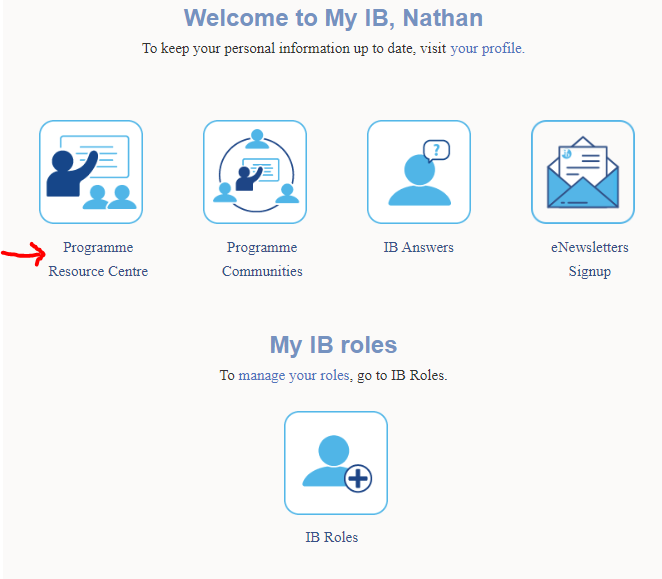
Step 1. click Programme Resource Centre
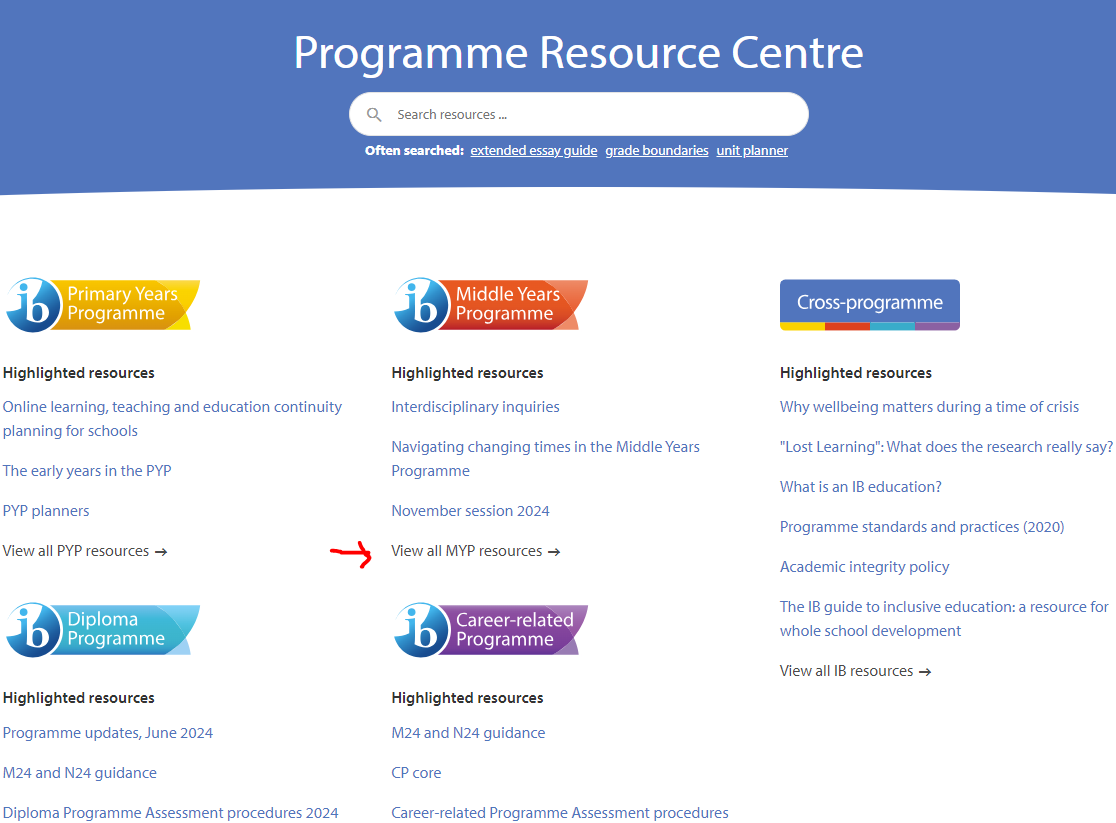
Step 2. click "View all MYP resources"
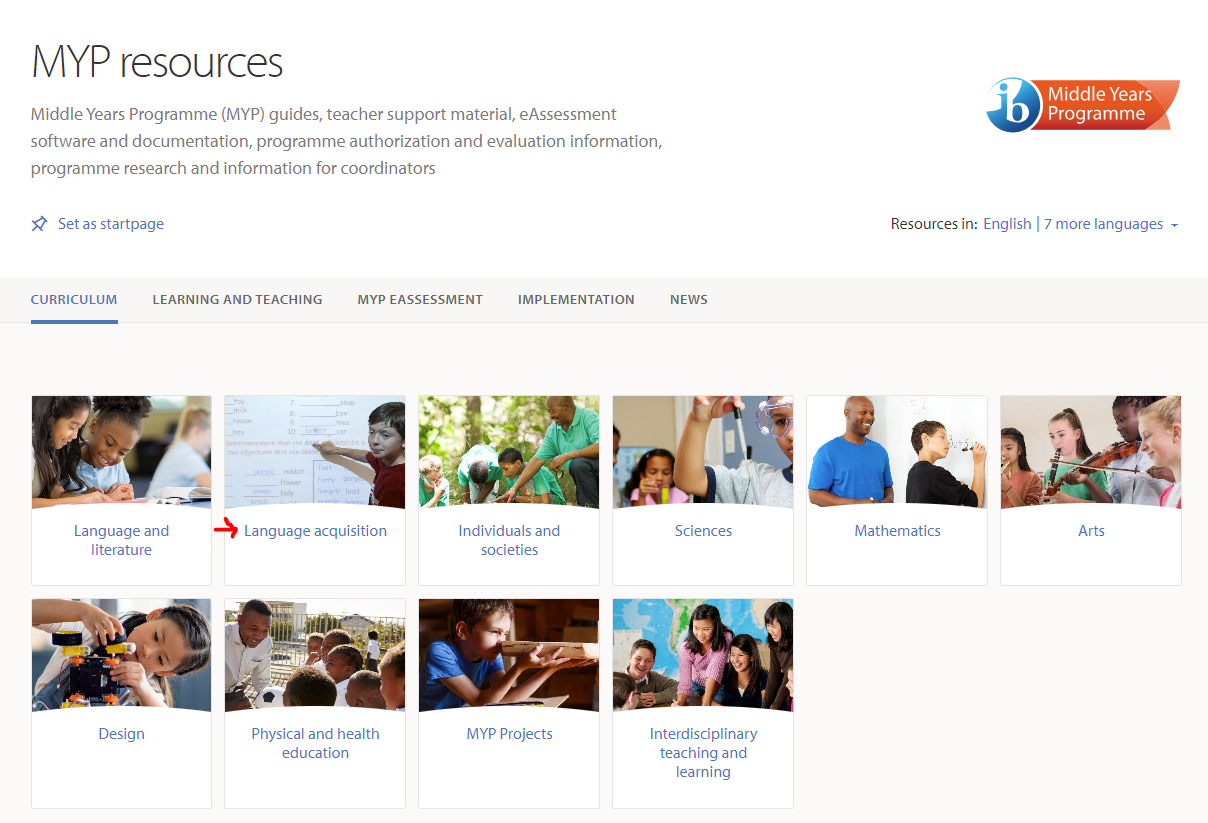
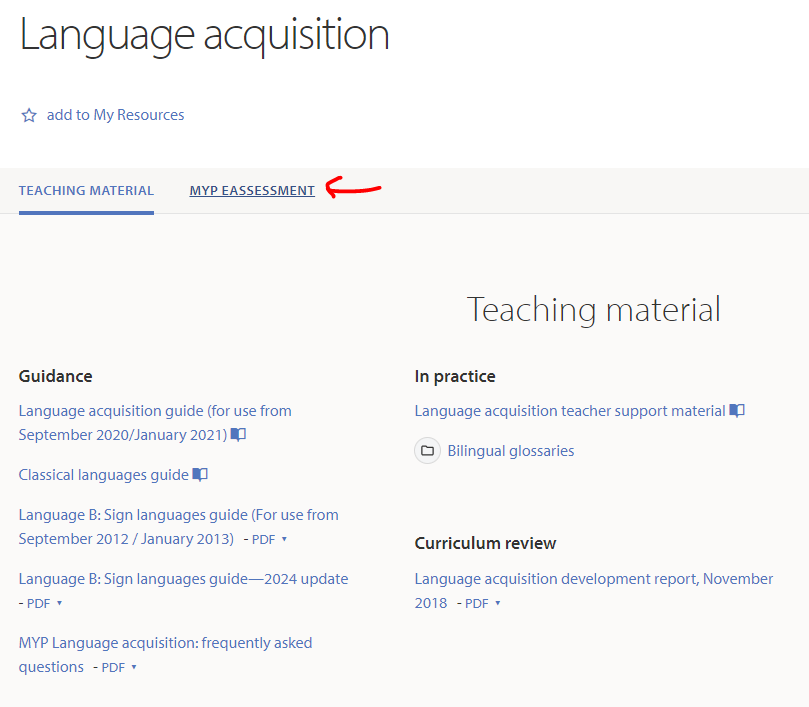
Step 3. click Language acquisition
Step 4. Click MYP Eassessment
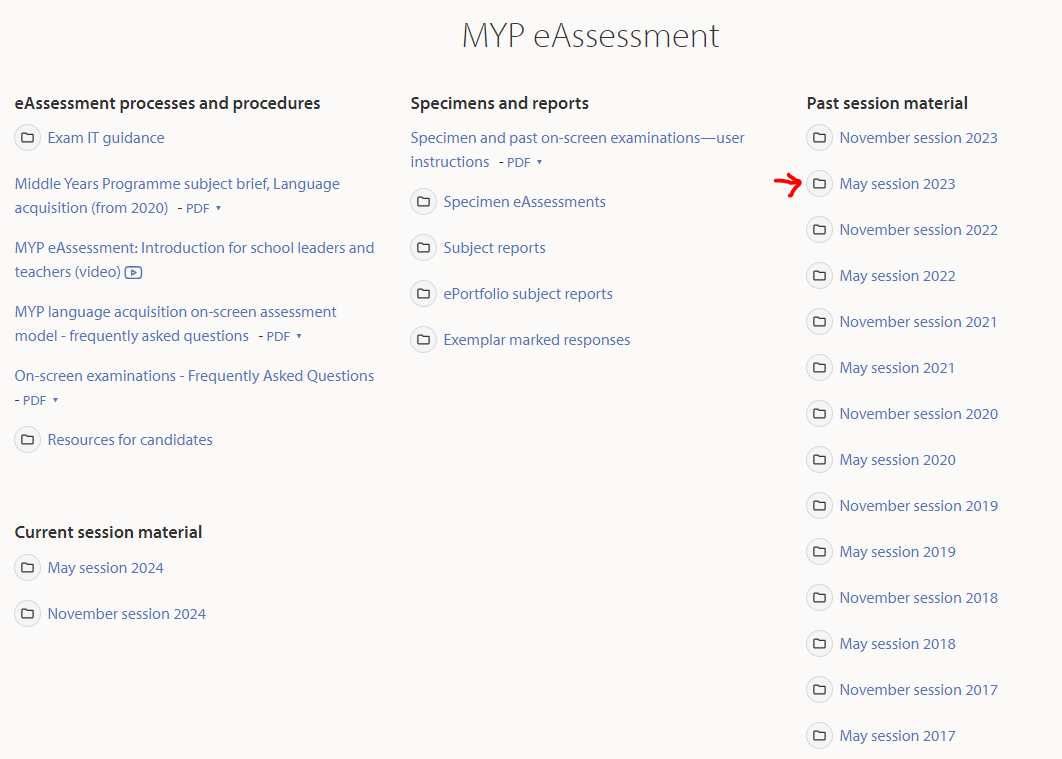
Step 5. choose a Month/Year under "Past session material"
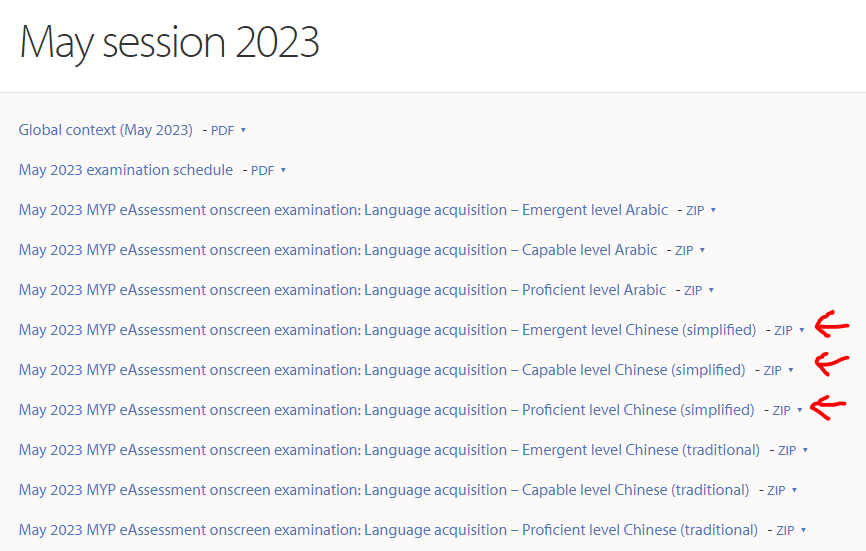
Step 6. click on the relevant ZIP file to download
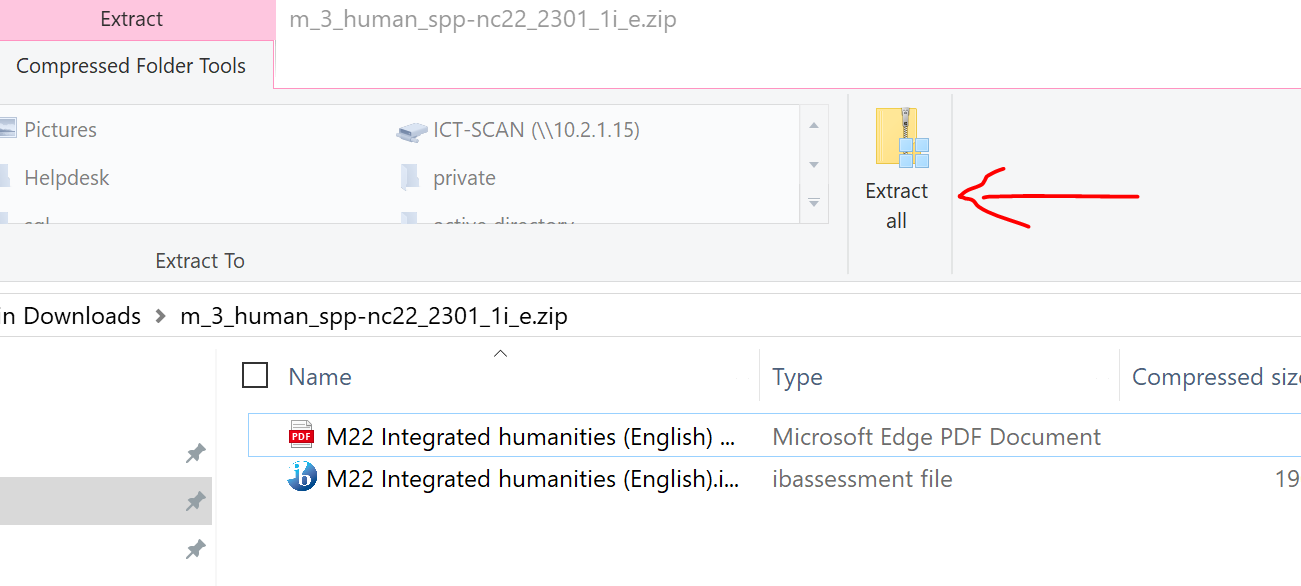
Step 7. open the ZIP
Step 8. click Extract All
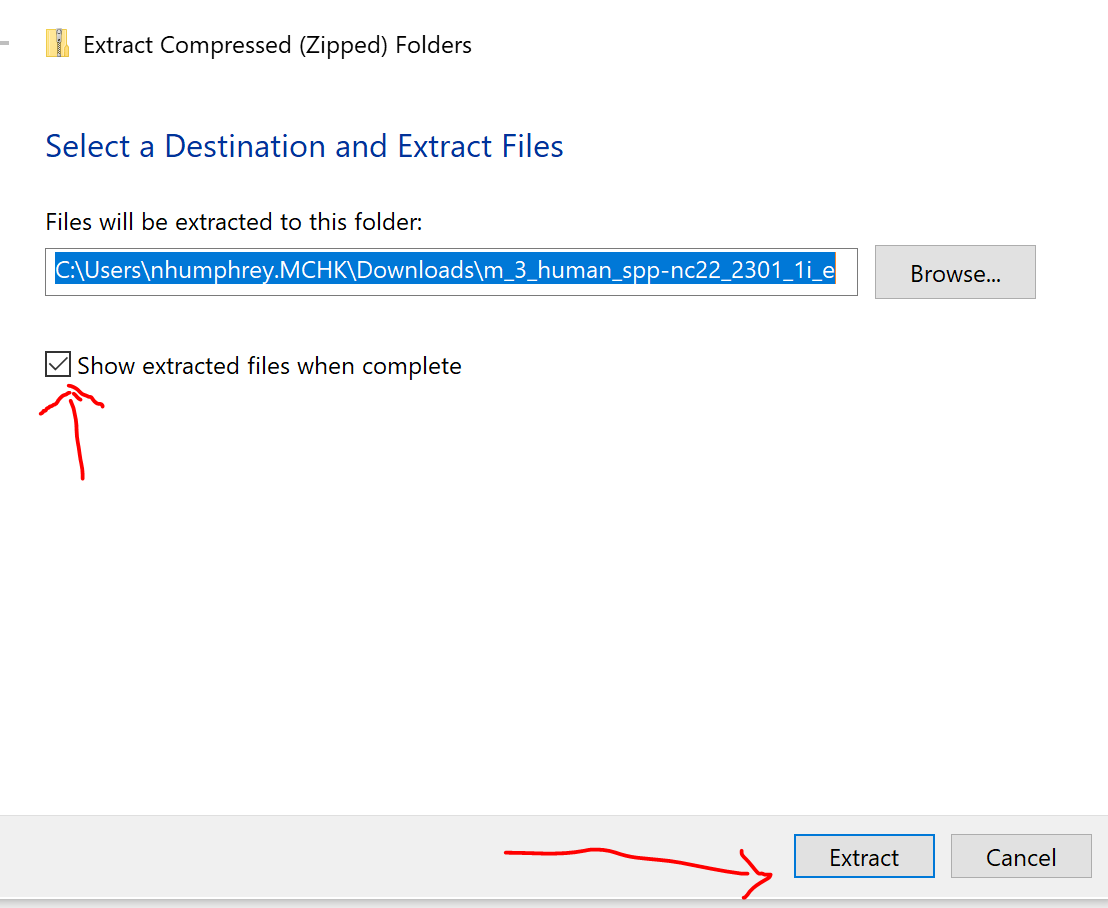
Step 9. Tick Show extracted files when complete
Step 10. Click Extract