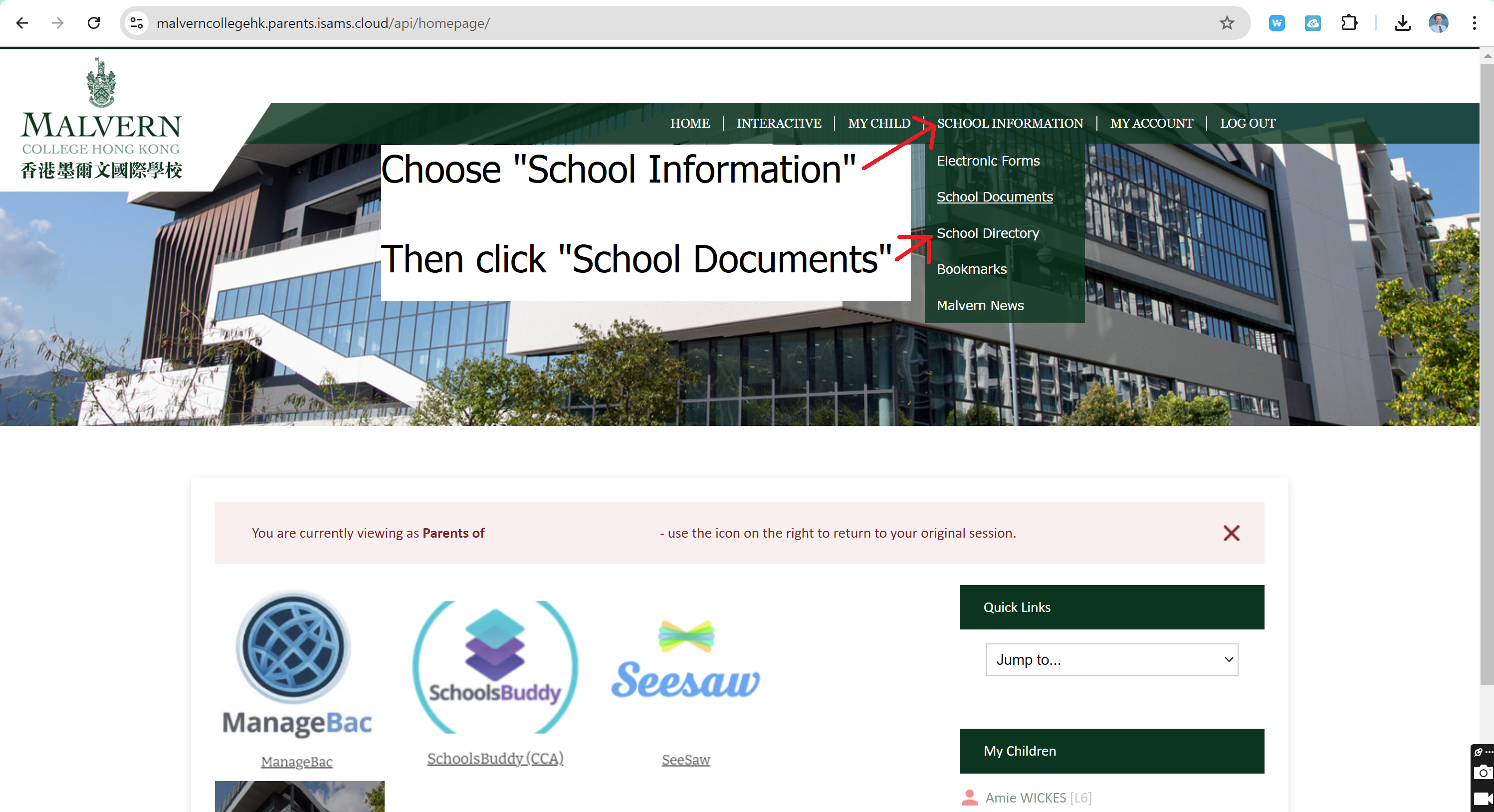
1. Choose "School Information" from the menu
2. Click "School Documents"
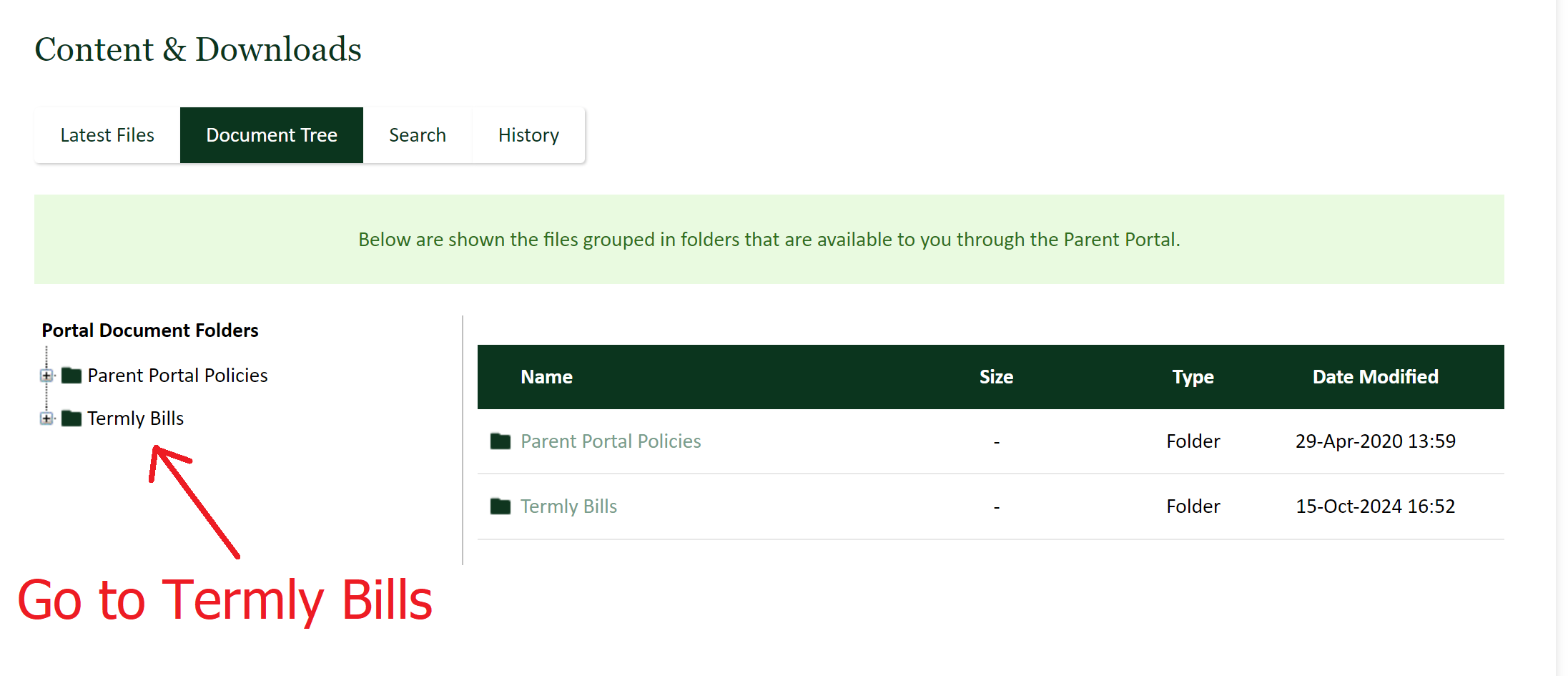
3. Click "Termly Bills"
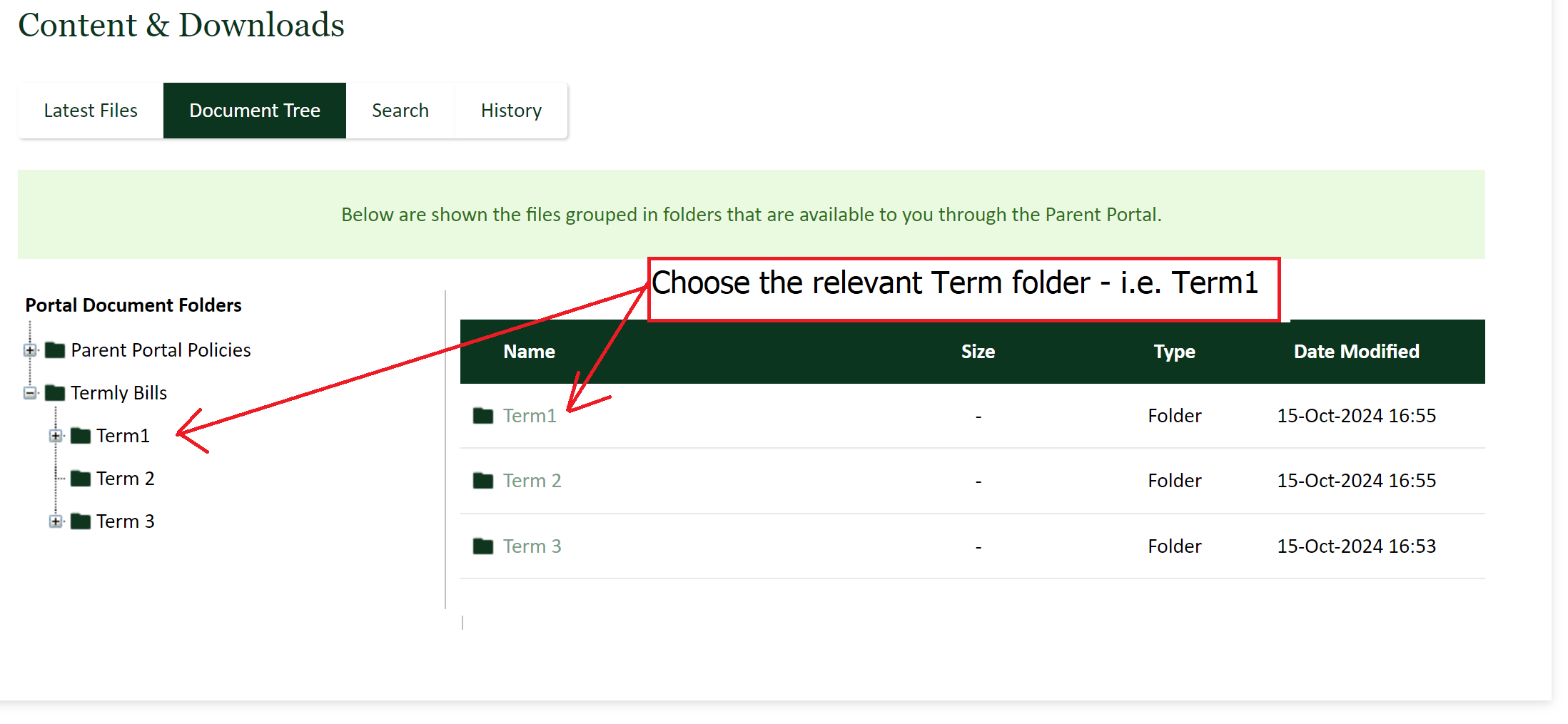
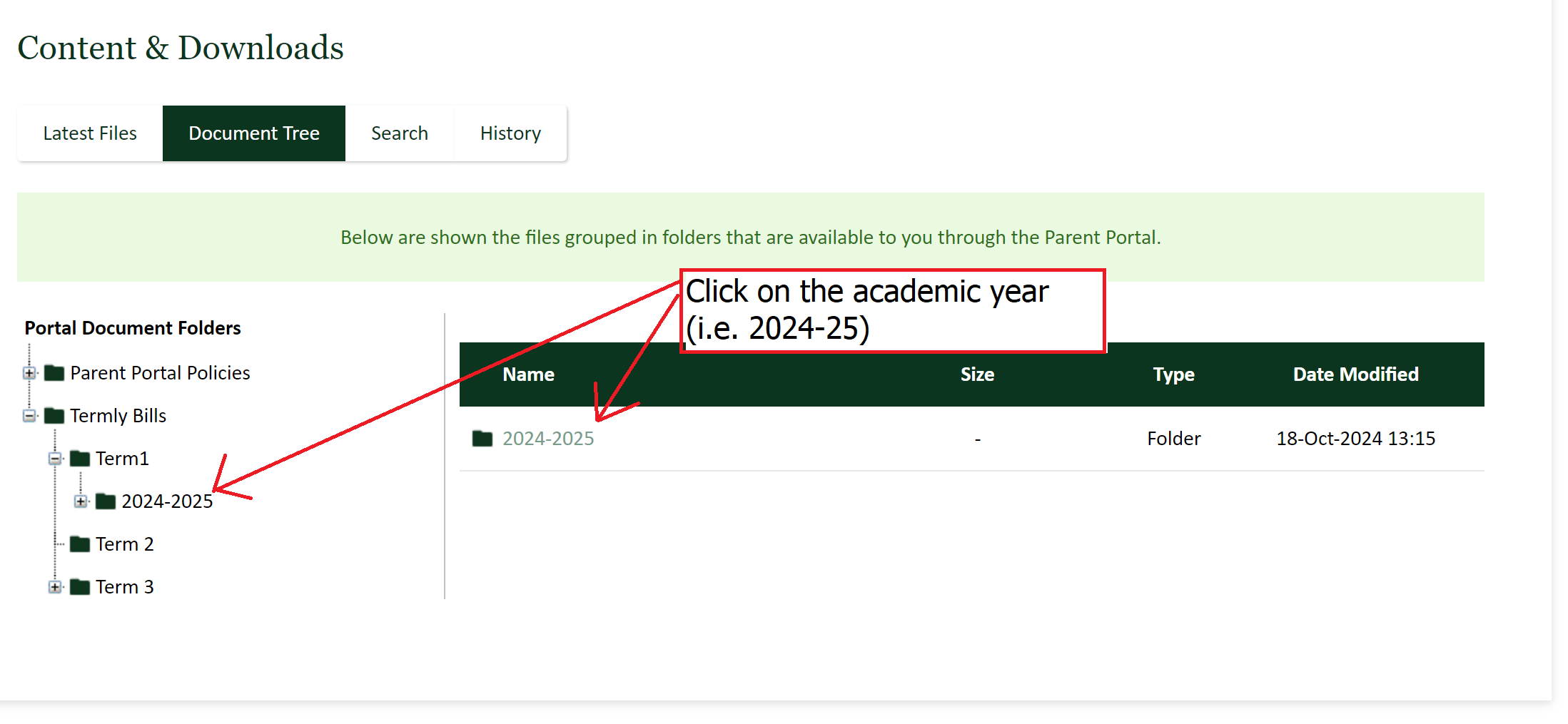
4. Click the relevant term (our example shows you the bill for "Term 1")
5. Click on the Academic Year folder - in our example it is "2024-2025"
6. Click on the Termly Bill file link that contains your child's name
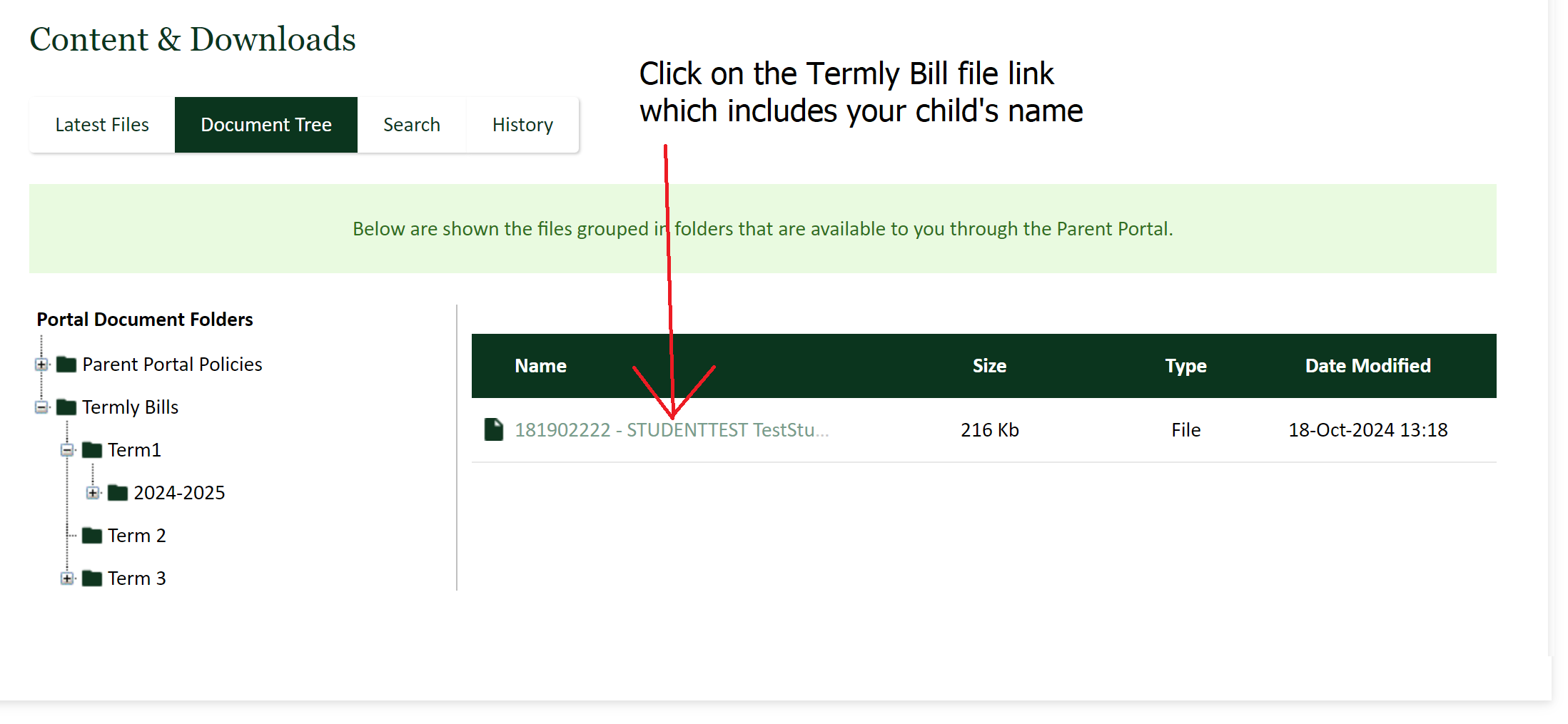
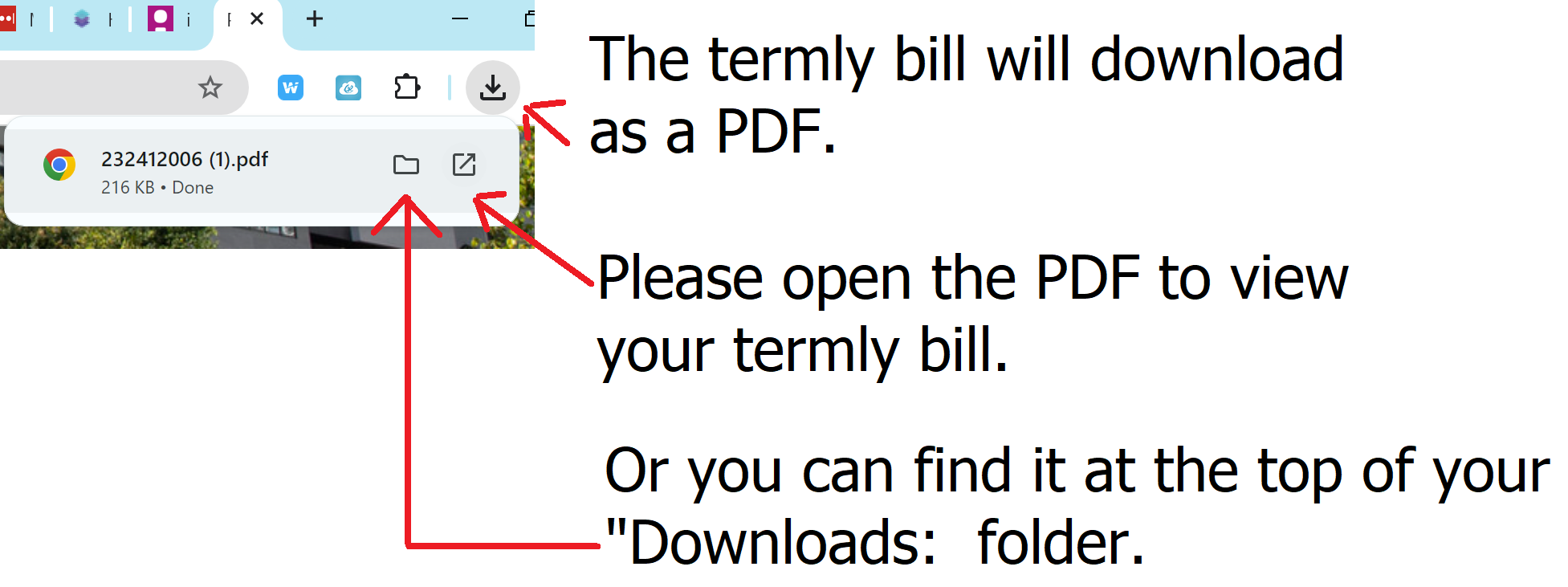
7. The termly bill will download as a PDF. Please open the PDF to view your termly bill.
Additionally, after downloading you can find it in your "Downloads" folder on your computer.