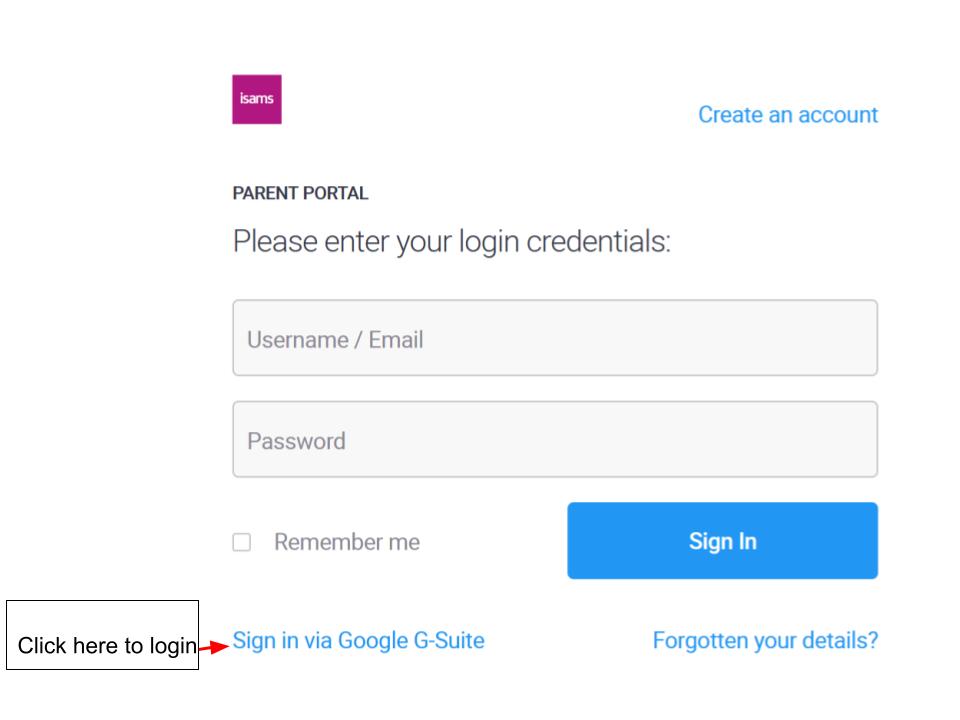
If you are using a regular laptop/mac with Chrome please try to create a new profile to use specifically for the Parent Google email.
Here are the steps to create a new Google profile in Chrome:
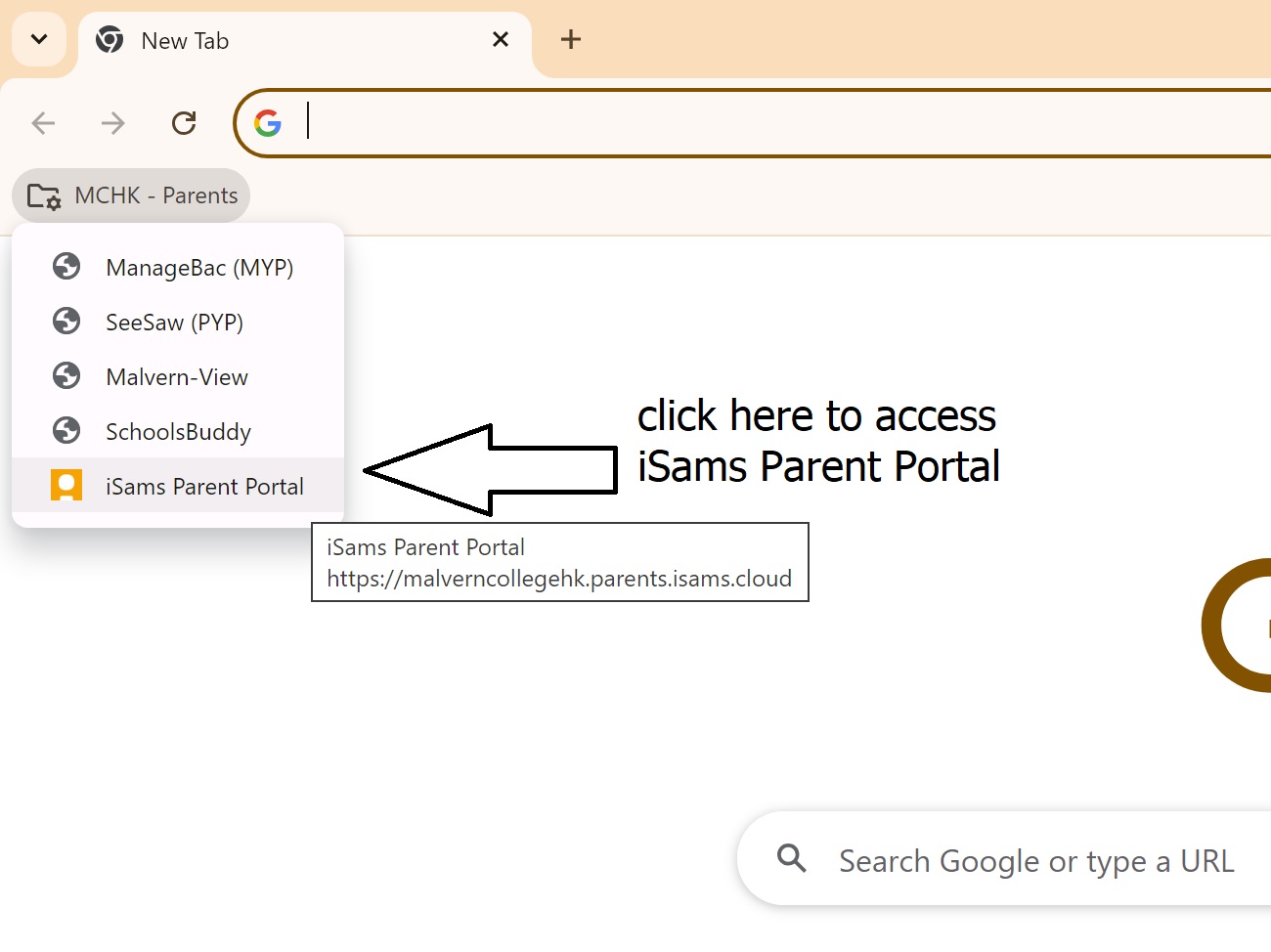
Then after successful login with the Parent Google account in Chrome, you can use the "MCHK-Parents" menu in Chrome to access "iSams Parent Portal".
As shown in the screenshot below.
After this try to click the "sign-on with Google" link.